multi-cloud asset inventory
every resource in every cloud you run — and how they connect.
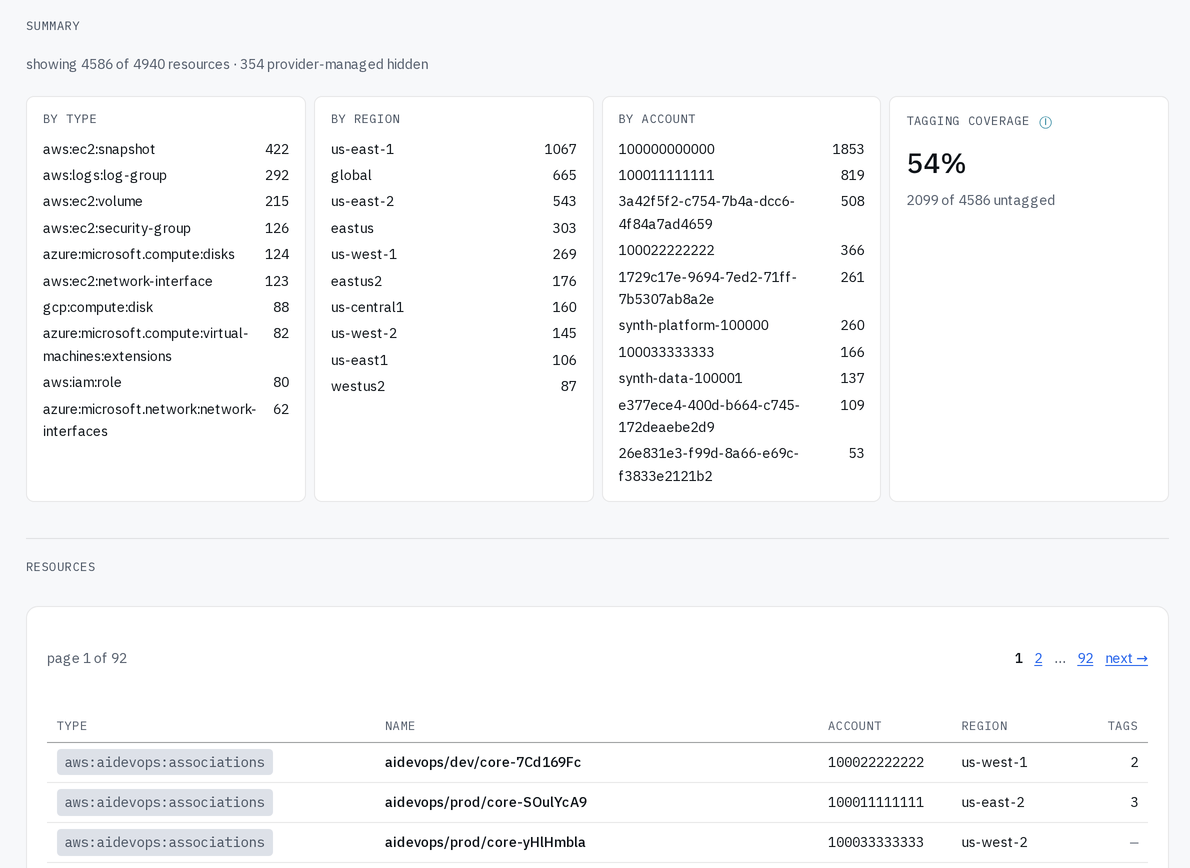
disco asks every service in every account itself, so it finds what aws resource explorer, azure resource graph, and google cloud asset inventory miss — then records what connects to what.
You grant a role, not a key. A first scan takes about five minutes with nothing to install, and 3 cloud accounts are free, with no card.
~300 aws services ~150 azure services ~40 gcp services
who asks, and what disco shows them
| team | the question | what disco shows |
|---|---|---|
| security & compliance | what did this security group allow in june? |
|
| incident response | what can this compromised role reach? |
|
| cost & chargeback | what did each account actually cost? |
|
a console shows one account at a time.
one inventory across every account you didn't set up
A bill shows service names, not things you can point at. Rebuilding the picture by hand is a week of somebody's time, it is out of date when it lands, and the next account starts over.
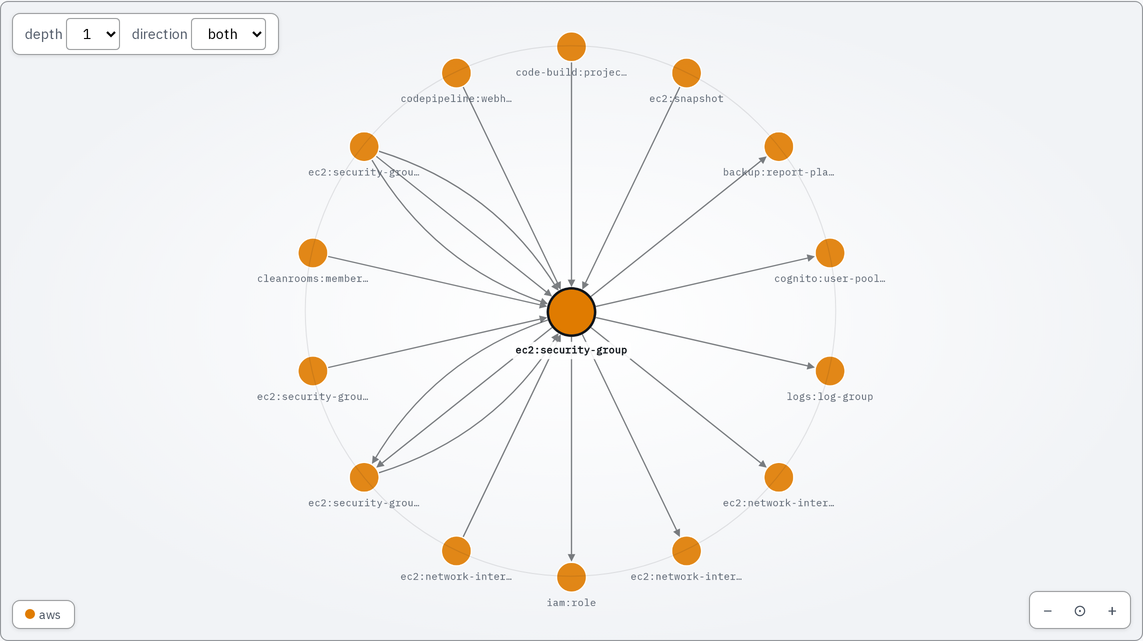
blast radius: what breaks if i change this?
Open any resource and see everything it reaches, grouped by how many steps away each thing is. Each connection is labeled with what it actually is — 11 kinds, worked out after the scan, not guessed from names. all 11, and what each one means.
the inventory is the audit evidence
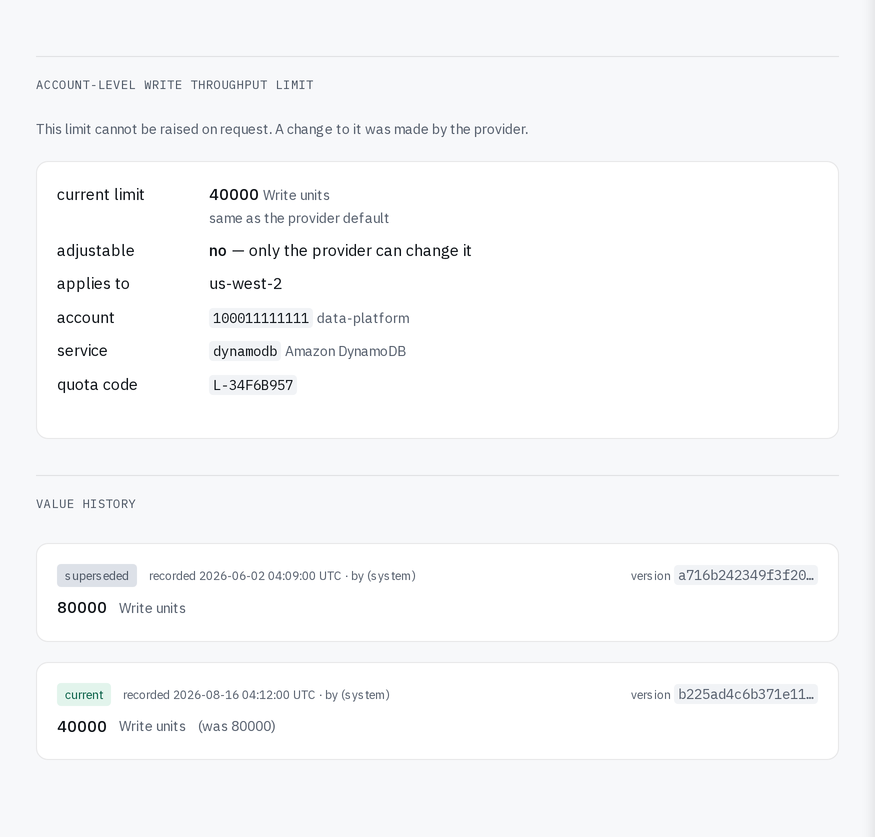
A scan stores the resource itself — tags, configuration, the provider's own attributes — and keeps every version from every scan. So the record answers questions asked afterwards: what this security group allowed in june, which accounts had public buckets then, when that role first appeared.
Service limits too, including the ceilings only the provider can move, and does, without telling anyone.
four steps, and none of them is handing over a key.
-
a role, not a key
A cloudformation stack on aws, lighthouse on azure, workload identity federation on google cloud. We keep your account number and a record of what you granted — never a password or a key.
-
ask each service, then join it up
disco asks each service what it holds, then works out how those things connect. If your own policies block something, that part is reported as a gap and the scan carries on.
-
filter, then follow the connections
Filter by cloud, account, region, service, type, what the provider created rather than your team, or what nobody tagged — or search for a name you half remember. Open anything and follow its connections outward, in either direction.
-
an api and a message when something changes
A rest api of 79 operations with an openapi spec your tools can read. Slack, or a signed call to a service of your own, every time a scan finishes.
the part of disco that reaches into your cloud is open source.
Run it against your own account before you talk to us: no signup, nothing sent anywhere, mit licensed.
No analytics, no third-party trackers, no ad tech — machine-readable at an address you can fetch right now, and a test fails our build if any of it is ever switched off.