tour
what it looks like before you connect anything.
Four screens from a workspace with three clouds and seventeen accounts in it. Nothing here is real — the accounts are unissuable, the domain is reserved, the resources are generated — but the product is, and this is what it does with a scan.
01 · the list you land on
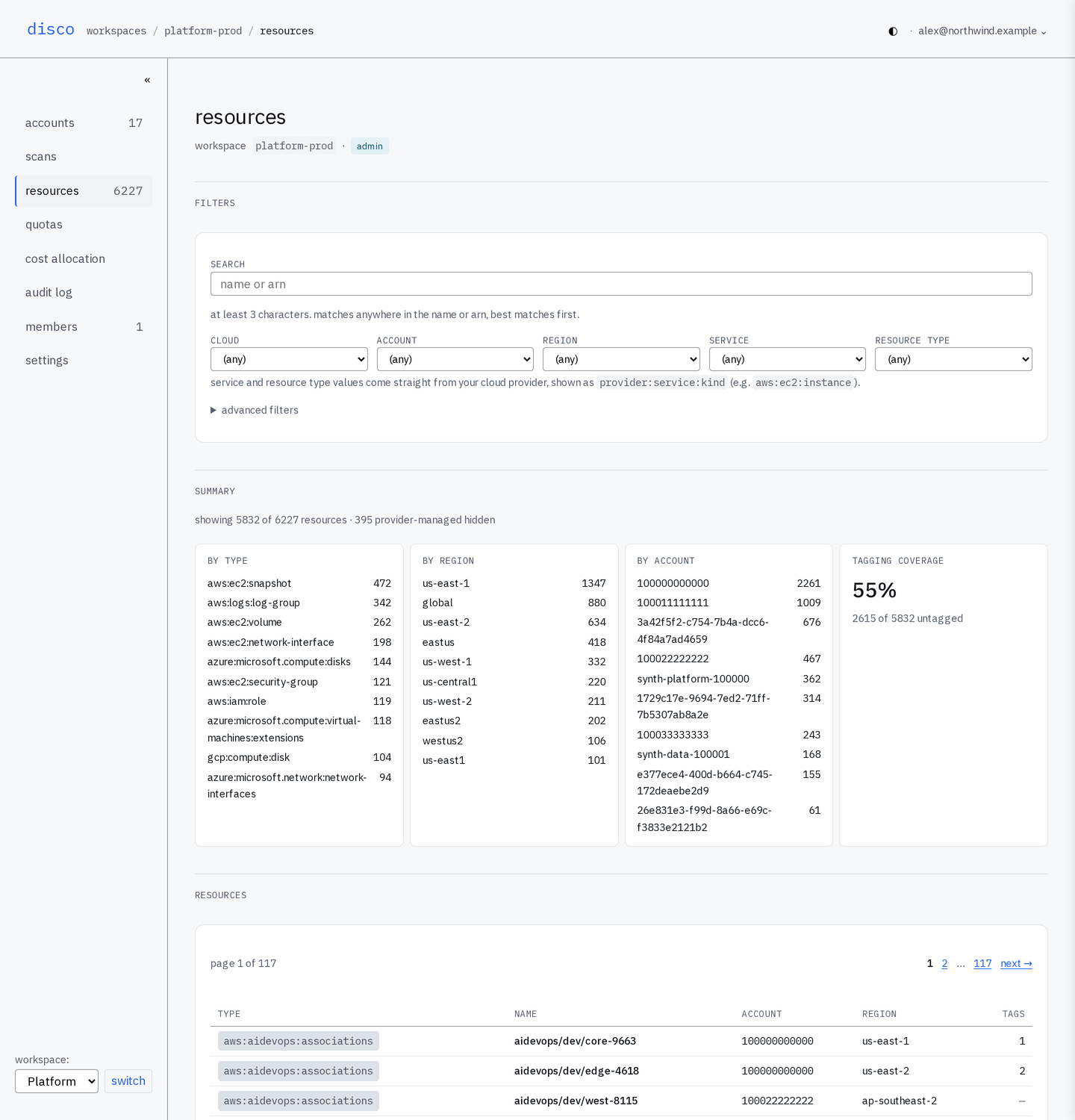
Everything found in every connected account, in one table. Narrow it by cloud, by account, by region, by service, by type, or by what nobody has tagged — or search for a name you only half remember. The counts down the side are the answer to "how much of this is there", which is usually the first question and rarely one a console will answer.
02 · one thing, opened
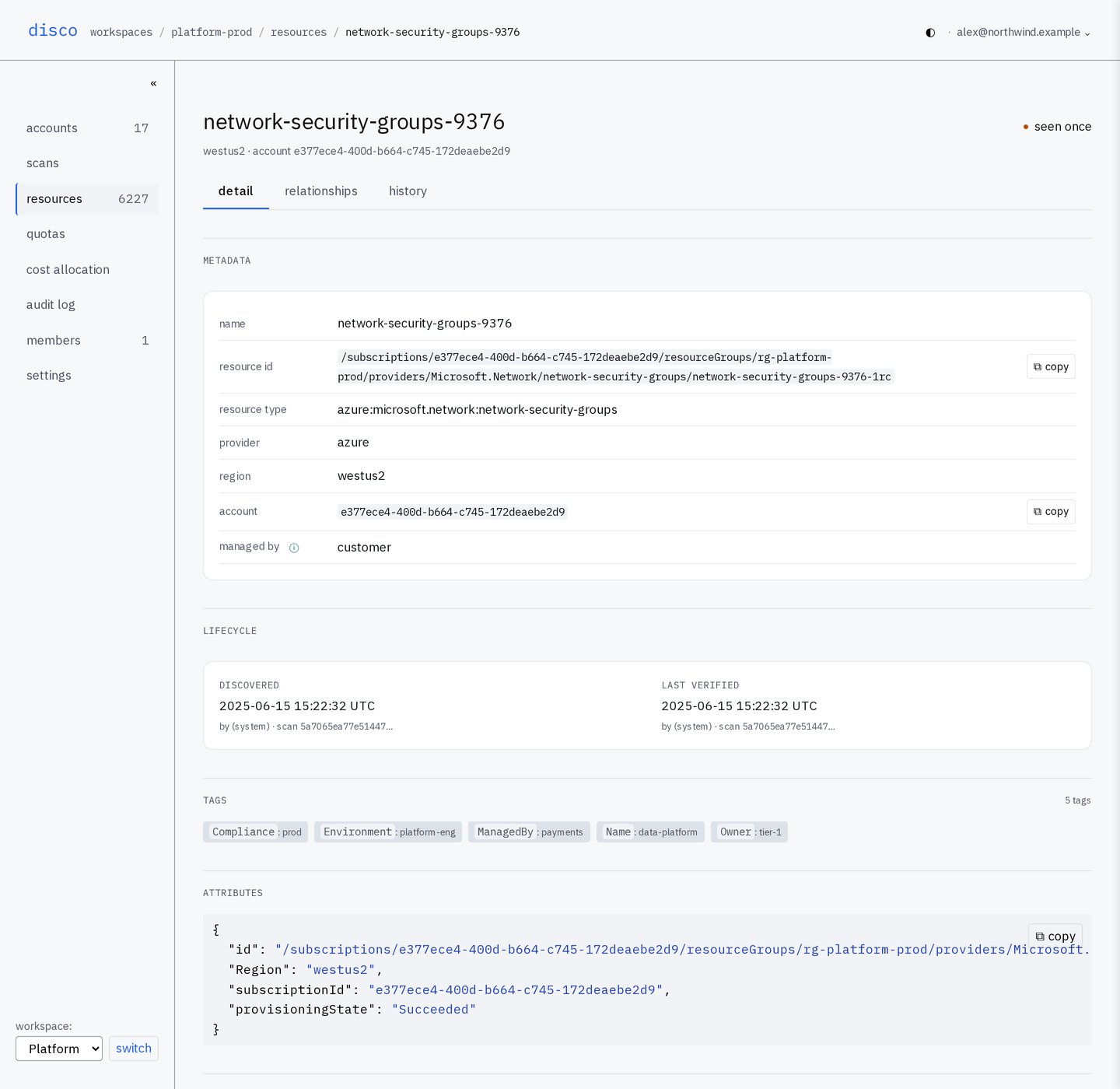
A scan stores the resource rather than a headline about it: what it is, where it lives, when it was first seen and last confirmed, how it is tagged, and the provider's own attributes exactly as they came back. Every scan keeps its own version, so the record answers questions asked afterwards — what this allowed in june, when it first appeared, what changed since.
03 · what it reaches
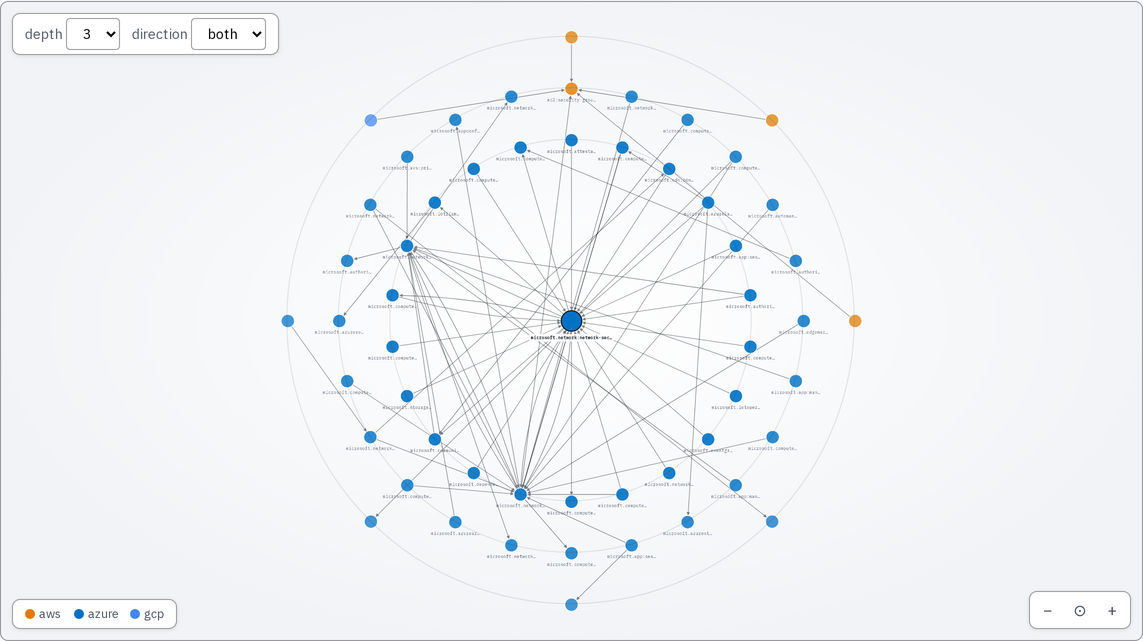
From any resource, everything it can get to, grouped by how many steps away each thing is. The connections are worked out after the scan and each one is labeled — 11 kinds in all — so the picture says what the relationship is rather than that something is nearby. A link into an account you have not scanned still shows up, so a boundary never quietly disappears.
04 · what changed
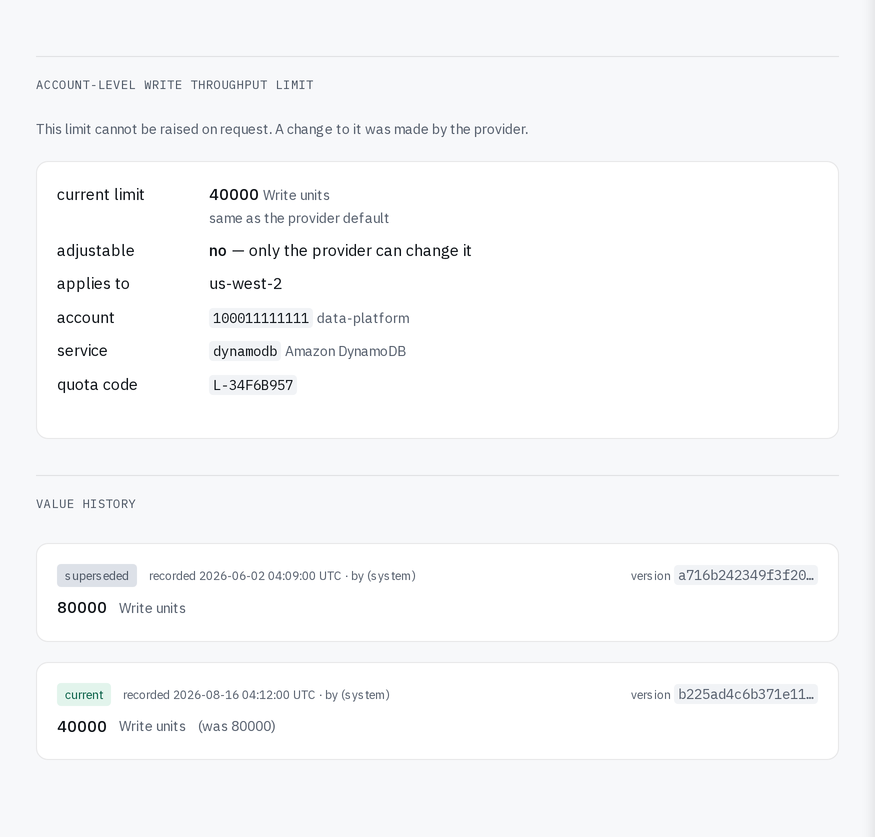
Service limits are recorded like everything else, which makes them the clearest case for keeping history at all: a ceiling only the provider can move is the one change nobody is notified about. The previous value is still on file, and that is the only reason anyone can tell it moved.